
General
Subject Information
Subject name
The subject name is the label used in the dashboard and anywhere users/staff pick a subject. Keep it short and descriptive.
Disable creation of tickets
Disable creation if you want a subject to act as a parent (settings-only) subject, or if you want to temporarily stop new tickets for that subject.
Staff Management
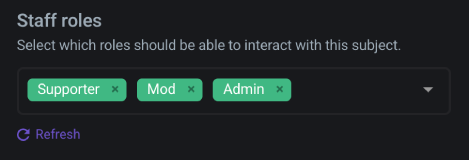
Staff roles
Select which Discord roles count as staff for this subject.
TIP
Make sure your staff members have the appropriate role assigned in your Discord server. Without the designated role, they won't be able to see or interact with tickets, even if they have other server permissions.
Ticket Formatting
Ticket name format
Controls how the ticket channel is named in Discord. This applies to new tickets.
Common examples:
{user.name}[8]-{subject.name}ticket-{subject.count}
You can limit placeholder length by adding [X] after it (for example {user.name}[8]).
Available placeholders (ticket name format)
Ticket channel names are restricted (no mentions/URLs), so only a subset of placeholders is available:
| Placeholder | Notes |
|---|---|
{user.id} | Discord user id |
{user.name} | User display name |
{server.id} | Discord server id |
{server.name} | Server name |
{subject.id} | Subject id |
{subject.name} | Subject name |
{subject.count} | Subject ticket counter |
Available placeholders (messages)
In message editors (welcome/close messages, etc.) you can also use:
| Placeholder | Notes |
|---|---|
{user.avatar} | Avatar URL |
{user.mention} | Mentions the user |
{server.logo} | Server icon URL |
{ticket.id} | Ticket id |
{ticket.name} | Ticket name |
{ticket.channelId} | Discord channel id |
{ticket.link} | Link to the ticket/transcript in the dashboard |