
Overview
TicketBot is a Discord ticket system with a web dashboard for configuration, staff workflows, and transcripts.
How the dashboard is organized
- My Servers: where you pick a server to manage.
- My Tickets: tickets you opened (across servers).
- Premium: subscription and plan management.
When you select a server, the sidebar switches to server-specific pages. What you see depends on your role:
- Staff access: can work tickets.
- Admin access: can change configuration and view audit logs.
Core concepts
Subjects
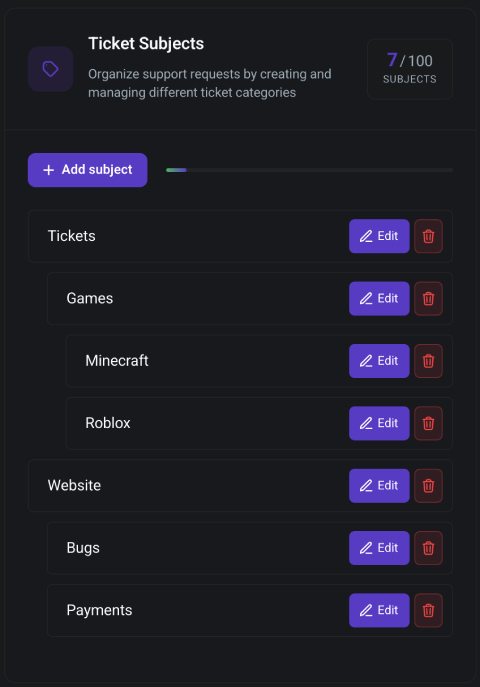
Subjects are ticket types (for example: “Support”, “Bug report”, “Appeals”). Most ticket behavior is configured per-subject.
Subjects can also inherit from a parent subject, so you can set shared defaults once and override only what differs.
Panels
Panels are messages you send to a Discord channel with buttons or a dropdown. Each item can open a new ticket under a specific subject.
Where to start
- Follow the Setup Guide
- Create your Subjects
- Send your first Panel